Article · 4 minutes
Why I Rebuilt My Page Monitor Without a Server
Why I moved my page checks from my own servers and bots to a small TypeScript monitor running in GitHub Actions.

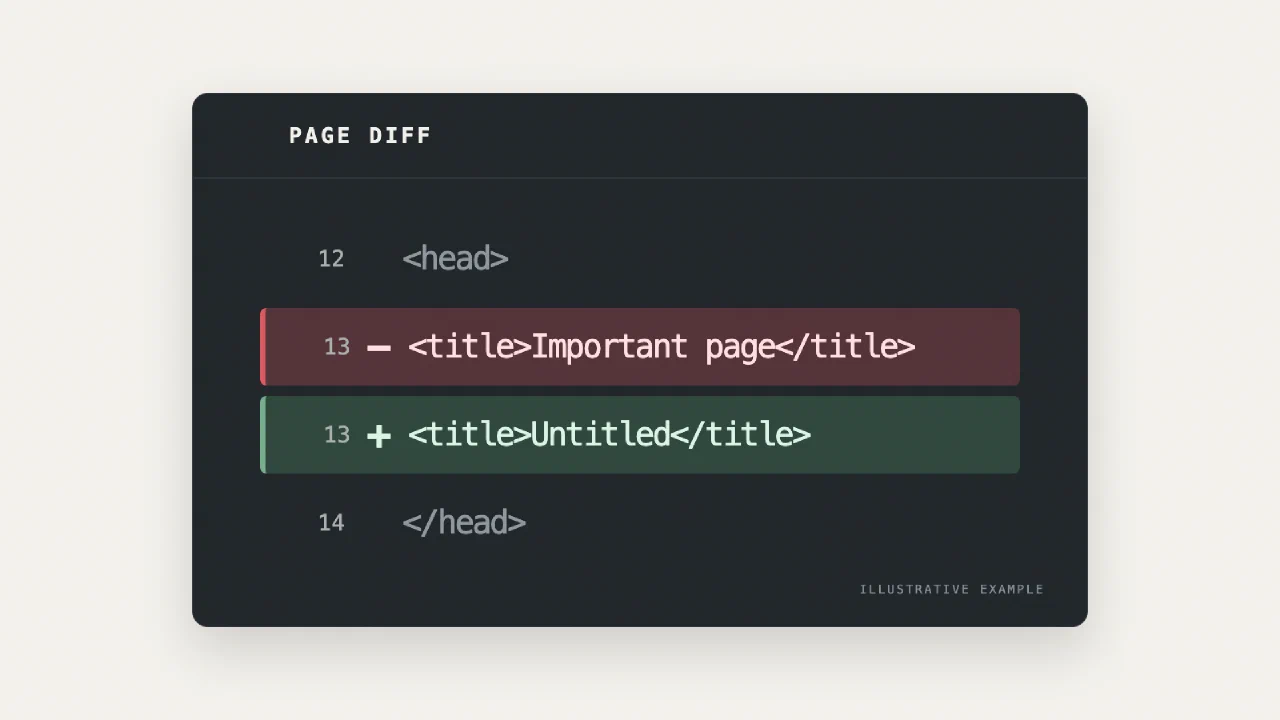
A page can still return 200 while something important has gone wrong. Its title changes. The canonical points to a different URL. A block of useful text disappears. The page is technically “up,” but it is no longer the page I thought I had.
I have spent enough time looking at traffic charts to dislike discovering those changes weeks later. More people can now edit a site through releases, experiments, no-code tools, and AI-assisted workflows. That is often useful. It also means an important change may happen without anyone realizing what it did to a page. I wanted a small way to notice it sooner.
The monitor I wanted, not another server to maintain
I used to solve problems like this with my own servers and Telegram bots. They worked. I also have a more capable Page Guardian for situations that need more logic and control. But not every check needs that kind of system.
Page Guardian Lite is the simpler version for quick, understandable checks: a small list of important pages, a few basic SEO signals, and a short result. When I do not need anything more complicated, I do not want to maintain a separate server, look after its environment, and notice when the monitor itself stops.
For this lite version I chose a simpler arrangement. It is a TypeScript program with a list of pages and their expected SEO signals. For each page, I can say what HTTP status, title, H1, canonical URL, meta robots tag, or description I expect. It can fetch the HTML directly or open the page in a browser, including views with and without JavaScript.
The program also compares a page with an earlier snapshot. It looks for substantial changes in structure and visible content, while trying not to turn every rotating listing or small text edit into an alarm. A normal run produces a short Slack report. If something fails or changes enough to deserve attention, the report points to the page and gives me a readable diff.
This is a prompt to investigate, not an automatic verdict about SEO impact. A changed block does not prove that rankings will fall. A failed request from a GitHub runner does not prove that every visitor sees the same failure.
What GitHub Actions does
The code, configuration, and schedule live in a GitHub repository. When the schedule triggers, GitHub Actions starts a fresh runner, installs the dependencies, runs the checks, and stops. The bot sends the result to Slack. A separate branch keeps the comparison baseline, so the next run has something to compare against. I no longer need to keep my own machine running between checks.
There is a trade-off. Scheduled Actions are best effort: a run can start late or occasionally be missed. But I do not really care whether a report arrives at 21:00 or 22:33. I want to keep an eye on the pages, not receive an alert at an exact minute, so those delays are fine for me.
The code also has a few safeguards against random failures: it retries temporary request errors, checks a suspicious result again before reporting it, and does not let one broken page stop all the other checks. None of this can make GitHub run a schedule it skipped, so I still look at the run history occasionally. But a single network hiccup should not bring down the whole report.
Try it on your own pages
The setup is deliberately small: download the code from the repository into your own private repository, replace the example URLs and expected values, add your Slack bot credentials as repository secrets, and run a dry check before enabling the schedule. The README setup guide has the detailed steps, including a prompt you can give an AI assistant if you would rather be walked through them.
The code is available for personal and internal company use, but not for public forks or resale.
I do not expect this tool to explain every traffic change. I built it to answer a narrower, more useful question: did an important page quietly become different from the one we meant to publish?
I think Page Guardian Lite can be useful for small companies that do not want to spend much on monitoring tools, as well as specialists and agencies working with many smaller clients.
It can also be useful in a more proactive way: keep checking a few public pages of former clients and, if something breaks, tell them before the problem becomes obvious in their reports. I think they will appreciate it.
Continue exploring
Related reading

Search Clues: My First Pass at an Organic Traffic Drop
A practical, private first pass at falling organic traffic: export Search Console data, compare confirmed Google updates and site changes, and keep several sites' history in your own browser.

Why I Built GoalLane: Doing Less, Moving Toward Something
Why I built GoalLane as a private, goal-first iPhone planner: short horizons, a few clear outcomes, realistic daily capacity, and steps that lead somewhere.

Why I Built Joys & Woes: A Private Place for the Days We Forget
The personal ritual behind Joys & Woes, and why I built this iPhone journal to be local-first, private, exportable, and useful without sharing your life online.