Article · 6 minutes
Search Clues: My First Pass at an Organic Traffic Drop
A practical, private first pass at falling organic traffic: export Search Console data, compare confirmed Google updates and site changes, and keep several sites' history in your own browser.

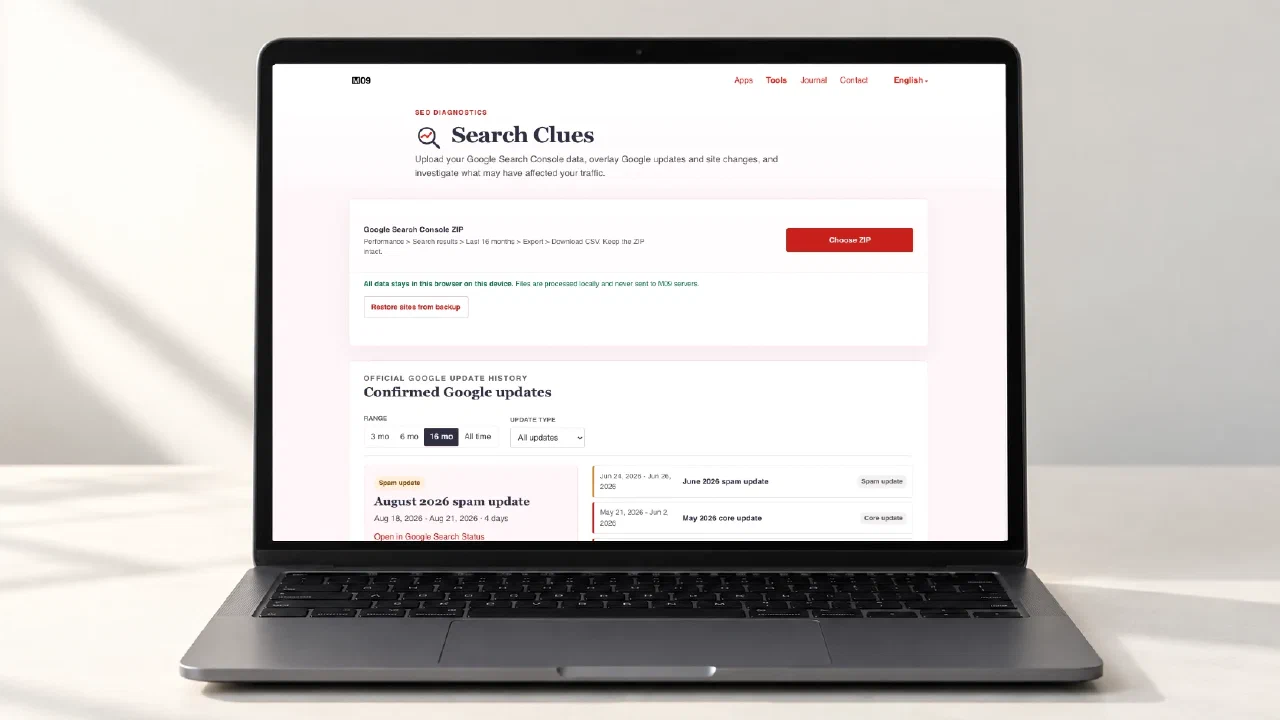
Imagine a client sends you a Search Console screenshot and asks: Organic traffic is down. What happened? You might be asking the same question about your own site. The drop is clear. The cause is not.
I start with two questions: What changed on the site? And was there a confirmed Google update around the same time? Competitors may also have done better work, but that calls for a separate investigation. Seasonality, search demand and reporting errors are possible too.
I built Search Clues for this quick first check. It puts daily Google Search Console data, confirmed Google updates and, optionally, merged GitHub pull requests on one timeline. That makes it easier to see what happened around the drop and decide what to check next.
Why I wanted the files to stay with you
You should not need to upload a client’s Search Console export to another service for a first check. A GitHub JSON file can also contain PR titles and file paths.
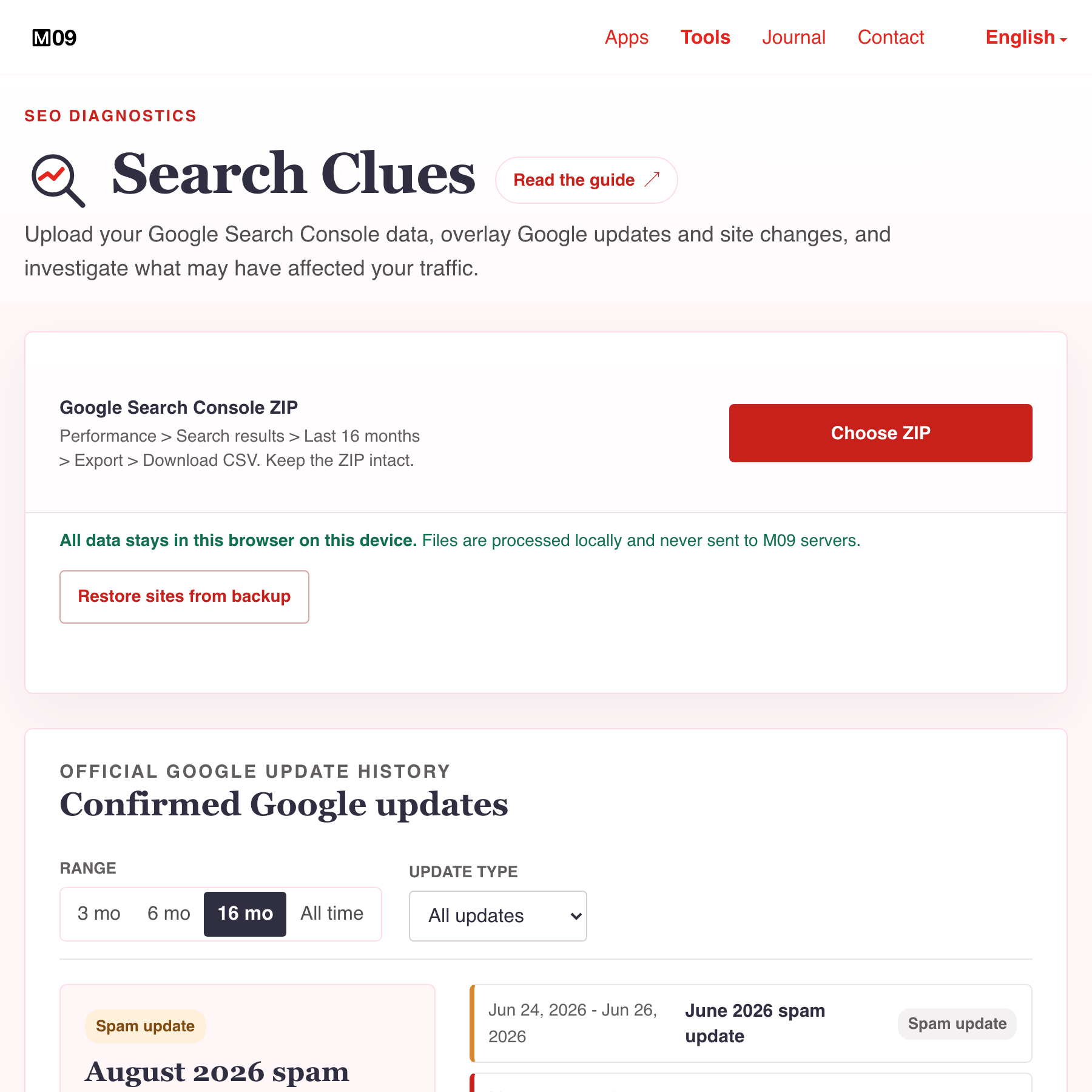
Search Clues reads the ZIP and JSON in your browser and does not send them to M09 servers. You do not need an account. An unsaved analysis disappears when you close the tab. If you save a site, its data and import history stay in IndexedDB in that browser profile. You can keep several sites there and return to them later. If you want to check the data flow, inspect the JavaScript your browser loads and its Network panel. The page itself loads from the web; your analysis files stay on your device.
Clearing site data removes saved analyses. They will not appear in a different browser profile either. To move them, export a backup. It is an ordinary, unencrypted JSON file, so handle it like the original exports.
Start with the original Search Console ZIP
Open the right property in Google Search Console and go to Performance > Search results. Set the date to Last 16 months and the search type to Web. Turn Compare off. If you want to analyse the whole site, remove page, query, country, device and search-appearance filters. Then choose Export > Download CSV. Google’s Performance report help describes the export.
Search Console downloads a ZIP. Keep the file intact and do not rename it: the filename helps identify the property. Open it with Choose ZIP in Search Clues. The tool uses daily totals for the chart and checks the export metadata to avoid mixing incompatible filters. If it cannot identify the property from the ZIP name or export data, it asks you to confirm. That reduces accidental mix-ups; it does not prove the file is authentic.
Sixteen months let you compare much of the period with the same dates a year earlier. Each export covers only the selected period. If you later add compatible ZIP files for the same site, Search Clues keeps older dates locally and replaces overlapping dates with the newer export. All time shows the history you have accumulated, even when it is longer than one export.
Describe the movement before naming a cause
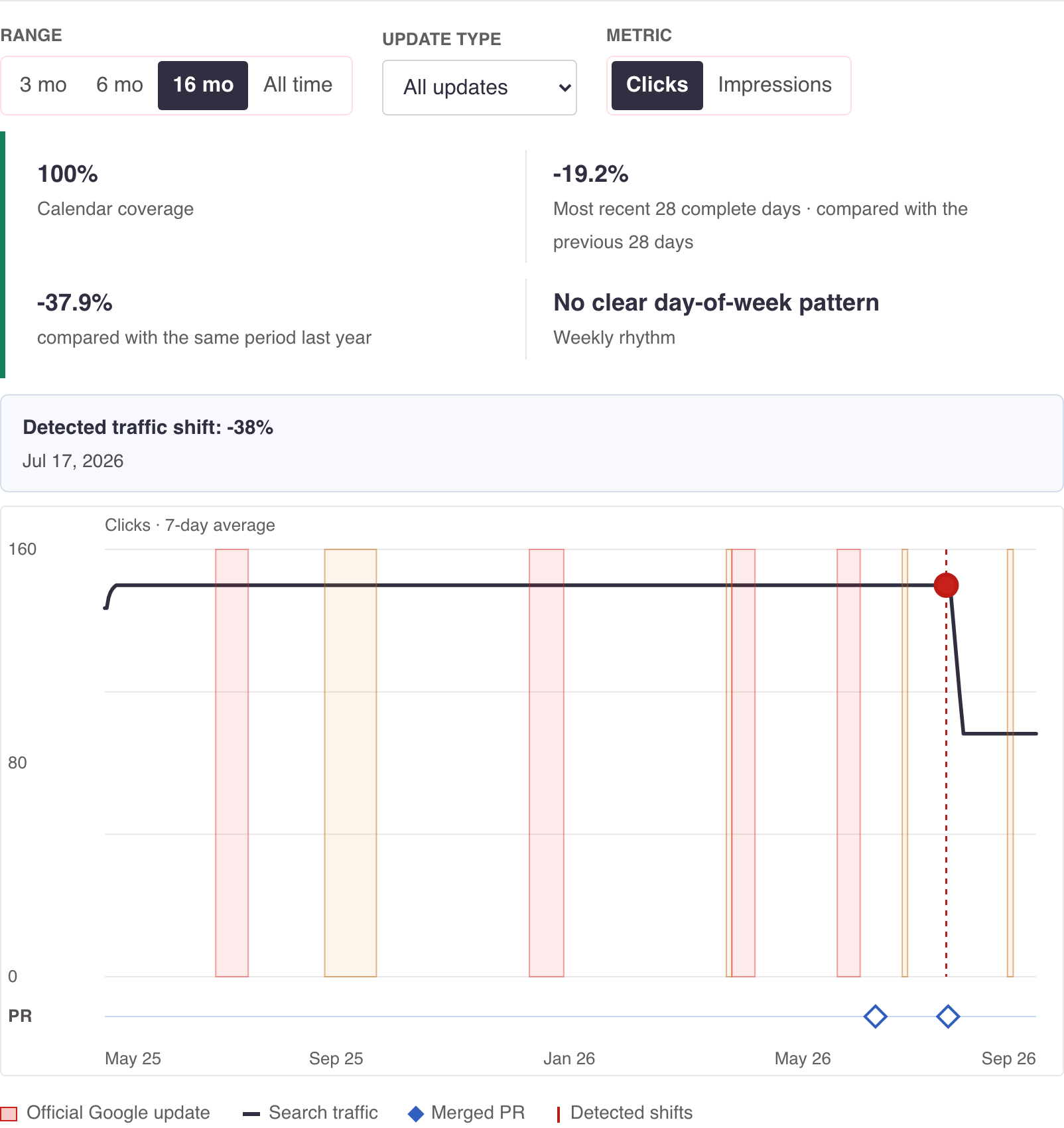
After the import, look at clicks and impressions separately. Did both fall, or only clicks? When did the drop start, and how long did it last? Are the latest dates complete? Compare the latest complete 28 days with the previous 28 and with the same period last year.
The tool marks sustained traffic changes and confirmed Google update windows on the chart. It also checks for a similar drop around the same season last year. These are clues: one previous year cannot prove seasonality, and a matching Google update date does not prove an effect on your site.
Add GitHub when site changes are part of the question
GitHub data is optional. If site changes go through GitHub, install the GitHub CLI, sign in, and run the command below in your terminal. Replace OWNER/REPOSITORY in both places and set YYYY-MM-DD to a date on or before the start of your Search Console period. The command finds the default branch and writes website-changes.json on your computer.
gh auth login

gh pr list \
  --repo OWNER/REPOSITORY \
  --base "$(gh repo view OWNER/REPOSITORY --json defaultBranchRef --jq '.defaultBranchRef.name')" \
  --state merged \
  --search "merged:>=YYYY-MM-DD" \
  --limit 1000 \
  --json number,title,mergedAt,url,labels,additions,deletions,changedFiles,files,mergeCommit,baseRefName \
  > website-changes.json
Open the JSON in Search Clues with Choose JSON. The command reads PR metadata; it does not run GitHub Actions.
--limit 1000 asks GitHub for up to 1,000 PRs. GitHub search cannot return more than 1,000 results for one query; Search Clues has no such 1,000-PR limit. If the file contains exactly 1,000 PRs, some may be missing. Split the period into nonoverlapping date ranges, such as merged:YYYY-MM-DD..YYYY-MM-DD, and export each range to a separate file. Import the files one at a time; Search Clues combines the PRs and skips duplicates.
The blue markers are merge dates, not release dates. The code might reach the site later, or never. A site can also change without a PR. This layer tells me which releases to check; a merge date alone cannot explain a traffic drop.
What the synthetic example actually tells us
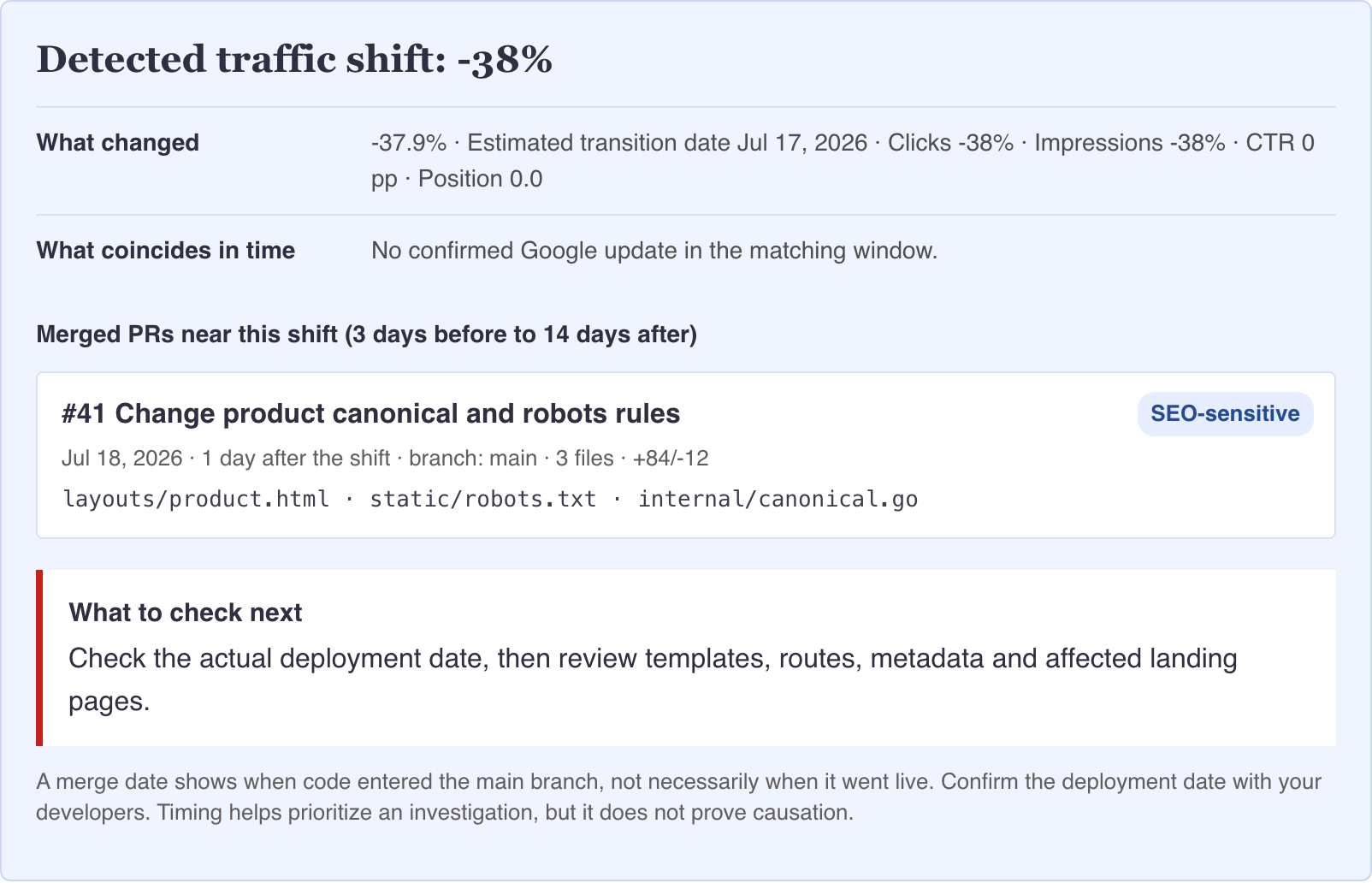
In the screenshots, Search Clues estimates that the change began around July 17, 2026 and puts the drop at 38%. In the synthetic data, clicks dip slightly on July 18 and fall sharply on July 20. A PR about canonical and robots rules was merged on July 18. The tool finds no confirmed Google update for those dates in its current list.
That does not mean the PR caused the drop. The chart date is an estimate, and merging a PR does not mean the code was live. I would first find the actual release date, then compare affected pages and queries and check indexing. A matching Google update date would not replace those checks either.
Keep a local history for the next visit
Save the analysis under a site name. You can then add another site, switch between them and import new compatible ZIP files over time. Each site’s history builds up in your browser. The import log shows which files and dates you have added. If that history matters, export a backup. It is not encrypted.
For me, Search Clues is a quick way to gather facts before the investigation: when traffic changed, which events were nearby and what to check first. A matching date starts a check; it does not settle the question.
Open Search Clues and try it with your Search Console ZIP. The file stays on your device.
Continue exploring
Related reading

Why I Built GoalLane: Doing Less, Moving Toward Something
Why I built GoalLane as a private, goal-first iPhone planner: short horizons, a few clear outcomes, realistic daily capacity, and steps that lead somewhere.

Why I Built Joys & Woes: A Private Place for the Days We Forget
The personal ritual behind Joys & Woes, and why I built this iPhone journal to be local-first, private, exportable, and useful without sharing your life online.

Build Systems, Set Goals: A Goal-Oriented Approach to AI in SEO and Product Work
A practical approach to AI systems: goals, context, task files, agent loops, verification, and the limits of delegation.